There is no doubt about the beauty of web applications, how handy they are, how convenient they are and their availability. With your smartphone you can access everything at any time you want.
That statement is a simple explanation of why everybody wants to bring the BIM world to web applications.
Even though there are limitations with technology and hardware, it makes everything a little bit challenging. But with Three.js and a good optimization strategy, it's possible to make it happen.
What is Threejs?
Threejs is a library built on top of WebGL, which is a Javascript API so you can render 3D on your web application.
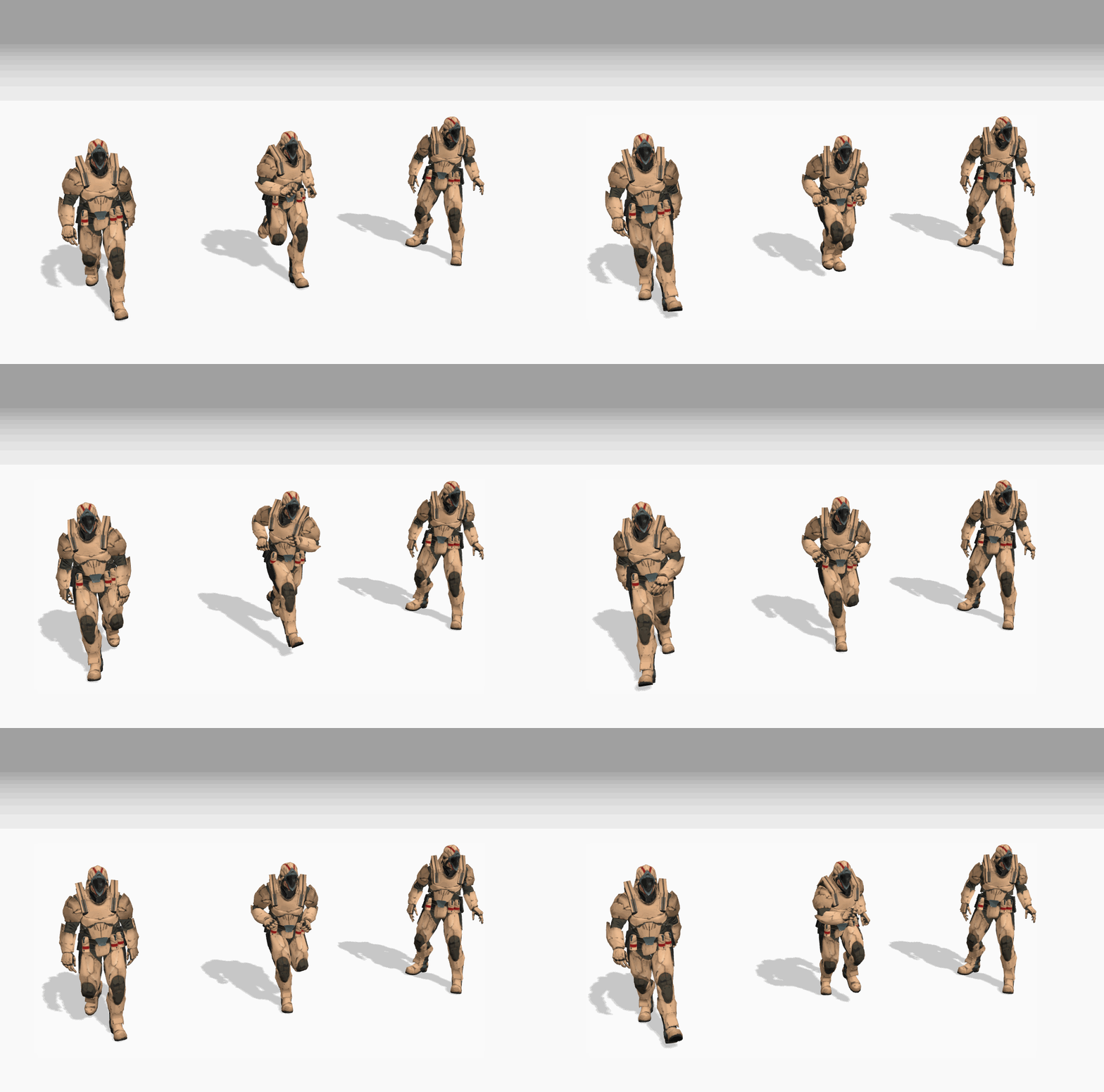
Three.js was created by Ricardo Cabello (known as "Mr.doob") and first released on April 24, 2010. It has a huge community also associated ecosystem. It have been used for many purpose and serve for a lot of difference kind industry, such as: Game, Design, Construction, Health Care ... any kind of industry that need Visualization.
That's why many big companies choose Three.js for their 3D Engine. They usually build on top of it and add some "sauce" to meet their needs.
We're talking about BIM Viewers, so I can list some products using Three.js like:
They have one thing in common: they also have high-performance rendering but don't have too many options for users to "play around" with their viewer.
Why?
The reason comes from their optimization strategy. To achieve that performance, they need to sacrifice something else.
We're going to explain that.
What makes a BIM Viewer different from the others?
1. BIM Technology is oriented around objects, which have metadata of their own. Normally in a building we have multiple disciplines, many of which have a lot of object types. And we should keep the details of objects as well.
Every single object has its own data, and the priority of them is no different from each other.
Unlike the Game industry, where we usually focus on some main objects and can skip some others, that's not gonna happen in BIM technology.
2. The scale - we might have up to thousands of objects in one single scene. That's huge.
The difference comes from the diversity of object types in BIM, and it makes everything more complicated.
To have a good strategy for rendering in Three.js, we need to figure out what are the factors which affect Three.js Rendering.
What we should care about in Threejs?
- Number of draw calls
- Object's vertices
What is a draw call? A draw call is an action to compute and render an object on the screen. So if you have a high draw call count, it's like you run a method in a big loop - it takes more time to render the whole scene. Usually we need to keep it low.

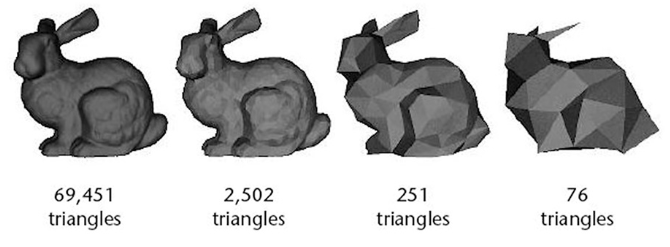
A plane is created by 3 points in space (we call it 1 triangle) - that's simple math, right? The "curved" plane you see or any curve you see in a 3D object actually comes from a lot of triangles. With the above example, you can see how triangles affect a 3D model. With high triangle count, we get better appearance but it leads to another problem: the cost when rendering. It's high as well.
With the diversity of object types in BIM, it challenges the draw call issue directly.
Some strategies.
In a BIM Model, we might have a bunch of objects, can be up to thousands. However, materials are just a few - there are maybe a hundred of them. That leads to the first solution.
Batching : We can batch all elements that share the same material into 1 huge element. Thousands of objects might turn into a few objects in Three.js.
=> It solves the draw call problem.
LOD : Before we render an object on the Three.js scene, we can produce more versions of that object with more simplified meshes. And then we can show/hide LOD versions based on camera distance.
Instancing: We can group all elements that have the same geometry and only capture the matrix of them. It still costs 1 render call but can render hundreds of them.
Conclusion.
Understanding the concept/structure of a BIM model is very important. It helps us to define the challenges and "the stuck points", then we can figure out some solutions.
In this article I just mentioned a few important keys like: number of draw calls and vertices. In fact, there are many more: memory management, fps (frames per second), ....
Let's wrap it up in the next article.