Have you ever wondered why some of your CSS rules don’t apply even though the code looks perfectly correct?
This usually comes down to one thing: CSS specificity — a critical concept that many developers overlook.
1. A Quick Story
Today a developer on my team asked:
"Why isn't my CSS working now? When I add it, !important it works."
.button {
  background-color: blue !important;
}

#header .nav .button {
  background-color: red;
}
This is a perfect example of why learning the relationship between !important and specificity is so important for every front-end developer.
2. How !important works
!important is the nuclear option of CSS. Use it with caution.
Here are the rules:
!importantbeats all normal specificity, even ID selectors.- If two
!importantrules conflict, specificity is recalculated normally to determine the winner. - Inline
!importanthas higher priority than stylesheet!important. - Relying on
!importanttoo often is a sign of deeper CSS architecture issues.
3. What is CSS Specificity?
CSS Specificity is the mechanism browsers use to decide which CSS rule will be applied when multiple rules target the same element.
Think of it like a competition between selectors. The more "powerful" the selector, the higher its score — and the more likely its styles will apply.
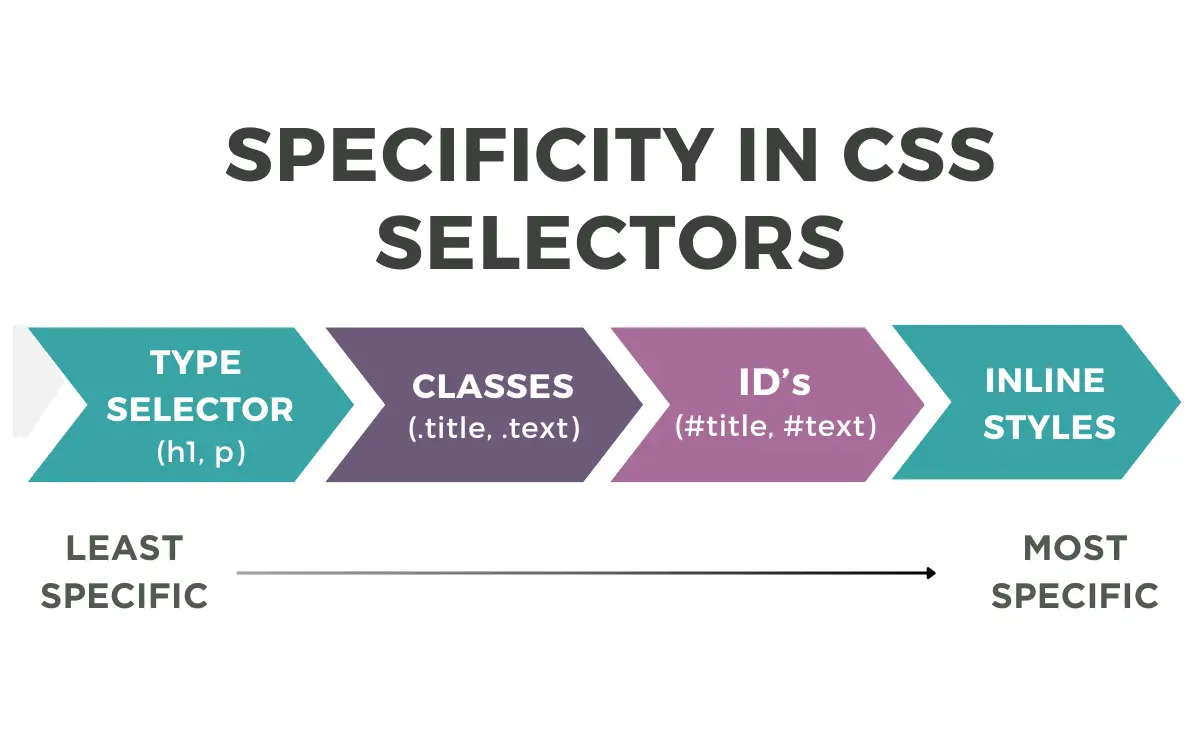
4. Specificity Calculation
Specificity is commonly represented as a four-part value: (a, b, c, d)
a → Inline styles
b → ID selectors (#header)
c → Class, attribute, and pseudo-class selectors (.btn, [type="text"], :hover)
d → Element and pseudo-element selectors (div, h1, ::before)
| Selector Type | Specificity Value |
|---|---|
| Inline style | (1,0,0,0) |
| ID selector (#id) | (0,1,0,0) |
| Class (.class), attribute ([type="text"]), pseudo-class (:hover) | (0,0,1,0) |
| Element (div, h1, p), pseudo-element (::before) | (0,0,0,1) |
| !important | Overrides all |
To make comparison easier, developers often map specificity to a scoring system:
a × 1000 + b × 100 + c × 10 + d
5. Specificity in Action
Let’s walk through a set of CSS rules and see which one wins:
/* Rule 1: (0, 0, 0, 1) = 1 point */
button {
  background: gray;
  padding: 10px;
}

/* Rule 2: (0, 0, 1, 0) = 10 points */
.btn {
  background: blue;
  border-radius: 4px;
}

/* Rule 3: (0, 0, 2, 0) = 20 points */
.btn.buy-now {
  background: green;
  font-weight: bold;
}

/* Rule 4: (0, 0, 2, 1) = 21 points */
.product-card button.btn {
  background: orange;
}

/* Rule 5: (0, 1, 2, 1) = 121 points - WINS! */
#product-page .product-card button.btn {
  background: red;
  color: white;
}

/* Rule 6: (0, 0, 1, 0) = 10 points */
[data-category="electronics"] {
  background: purple;
}
Here, Rule 5 wins because the ID selector gives it the highest specificity.
6. Conclusion
To write maintainable and conflict-free CSS, remember:
- Prefer classes over IDs — they scale better.
- Avoid unnecessary nesting — it increases specificity without real benefit.
- Use
!importantonly when absolutely necessary. - Design your CSS architecture so you’re not “fighting” your selectors.
A well-structured CSS codebase makes debugging easier, reduces conflicts, and keeps your UI consistent.