The CAD industry started a few decades ago. It's a core technology for old industries like construction, mechanical engineering, robotics, and any industry that requires high complexity when creating something physical.
What if i told you AI Agent can help you automate things on CAD software, create pipeline, enhance productivity and make your life easier!
The answer is: MCP server.
Now, let find out the relationship between CAD software and MCP Server.
The CAD industry and its own challenges
CAD is the terminology to describe CAD software. CAD is not a new concept—it has been around for decades. The story of CAD might start from mechanical engineering, the rise of mechanism. Back then, when people wanted to create some part with high complexity, there was no way other than creating 'a sample' over and over again to get the one they needed. By the time, with the rise of 'computer' technology combined with the will to change the 'manual' way, when both reached each other, people wanted to create software that could 'simulate' everything before they started doing real stuff. That's how CAD was born.
Nowadays, you can see a lot of CAD software like:
- Architecture & Building Design: Revit, Autocad, Sketchup, ...
- Mechanical Engineering: SolidWorks, Inventor, ...
- Manufacturing: Mastercam, SolidCAM, ...
The challenges
To deal with high complexity, there's no way you get a 'simple' software. CAD software usually includes a bunch of functions so you can handle every scenario you might want. There are a lot of buttons on a bar—I believe everybody will feel a little bit overwhelmed when they open CAD software for their first time.
But that complexity lead to some problems:
- Learning curve: This is no joke—you need to put in a lot of effort to learn CAD software. To master it may take years.
- Repetitive tasks: To get your job done, sometimes you need to go through 7 or 8 mini functions in CAD software, and it repeats over and over again.
- Standardization and Accuracy: With many manual steps, people can make mistakes, and it affects accuracy, which is the most important thing in CAD software.
- Create your own solution: CAD software is already complicated, but it can't cover 100% of the use cases users want. It needs to provide some way so users can create their own "tools" and "pipelines."

The "old school" solutions
Many of these challenges we can solve by creating pipelines, which automatically execute the functions we need.
They can standardize our results and handle 'boring' repetitive tasks. To do that, CAD software usually provides us with APIs—a protocol we can use to interact with CAD software through coding.
Based on that, we create our own solutions for particular problems, and it's called: Plugin.

Plugin - that's the first effort from both sides: user and software provider to make CAD better!
However, coding seems too complicated for engineers, who only want to focus on their expertise. Thankfully, CAD software provider invent some other approach.
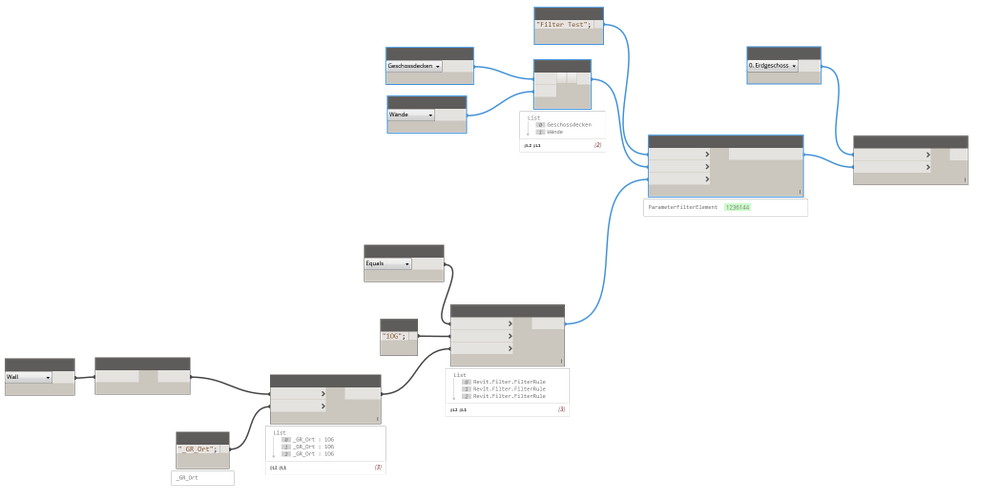
Drag-and-drop or node-based approaches are more beautiful solutions. They solve the 'complexity' of coding by dragging and dropping nodes and connecting them through wires to create a complete pipeline.
There are 2 famous: Dynamo and Grasshopper
The Game Changer
As you can see, the above solutions still need you to get your hands dirty. You need to think about your pipeline. You still need to create your pipeline manually. You still need to figure out the whole flow from start to end. To achieve that, domain knowledge is a must!
With AI Agent and MCP Server, it changed the game.
The AI Agent can create pipeline automatically! What a nice way to play around with your data.
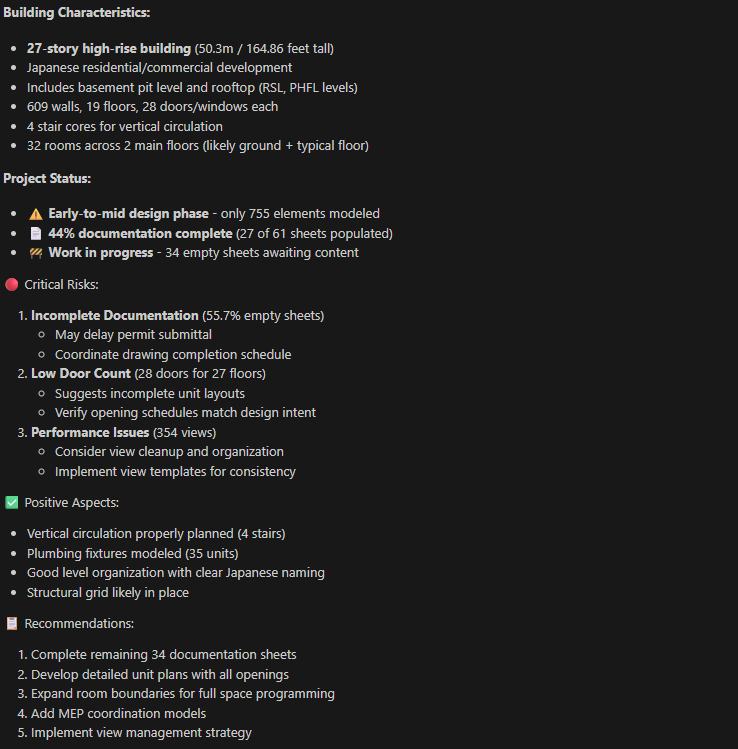
You prompt -> AI Agent help you build pipeline -> execute on CAD software -> you get what you want.
It solved all the problem we encountered with CAD software.
- Decrease learning curve.
- Solve everything automatically
This is how it work:
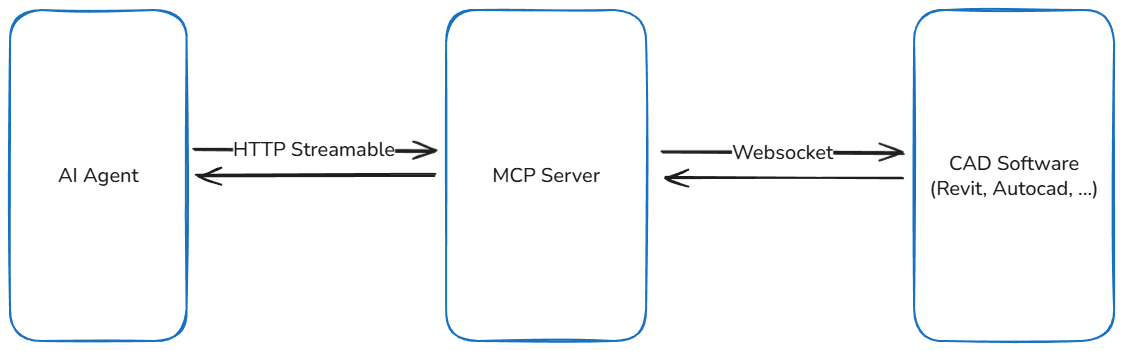
Major of CAD software are "offline" software, as such Websocket is a good choice for connection protocol between MCP Server and CAD software.
- User prompt
- MCP Client will request some result through specific tool of MCP Server
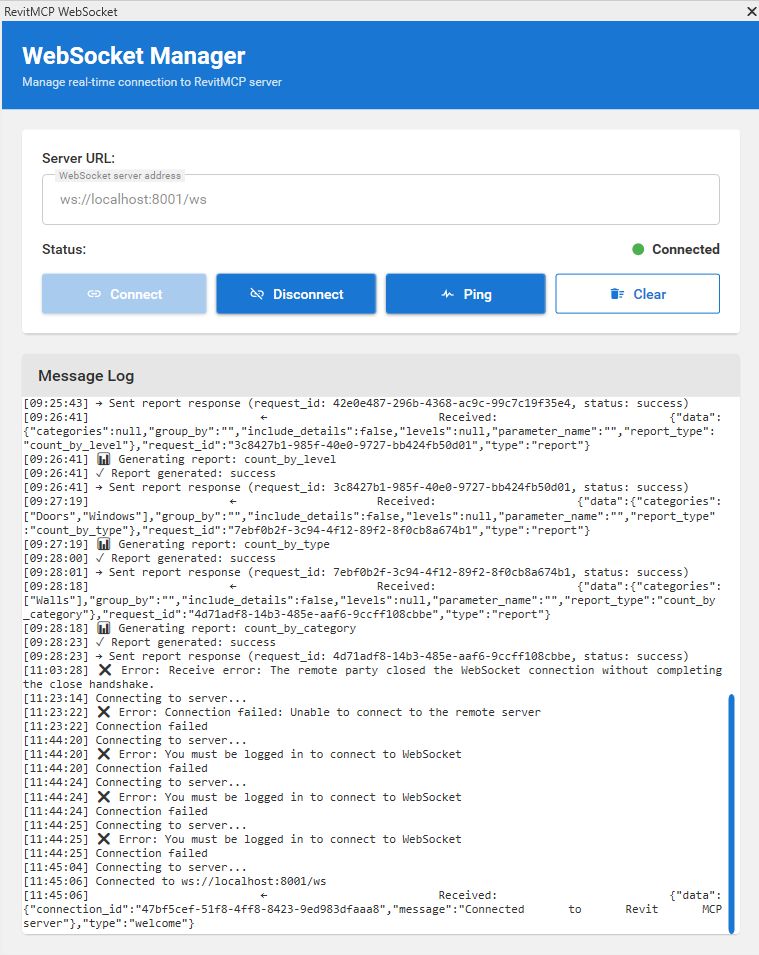
- MCP Server interact with CAD software through Websocket
- CAD software response with data
- MCP Server receives data and send back to MCP Client
- AI Agent get data and keep process if needed
- Repeat step from 2 -> 6 til get the job done.
The key is you cant develop enough tool to cover use case, otherwise just focus on few tool but has a general use case.
For example: create a tool to "execute" a code part was generated from AI Agent, response a result include error if needed so AI Agent can know what was going on and align itself for better step.
Conclusion
MCP Server has so much potential for CAD software. It leverages AI possibilities and enhances our productivity—clear as crystal.
In fact, it can't help you do everything, but it can help you manage your tasks better and help you understand what you're doing on a deeper level. Especially when you want to manage data and focus on data-driven workflows, AI Agents can totally help you with that.