

Hey everyone! ? Ever wish you could build beautiful, fast web applications without touching a single line of JavaScript? If you're a Pythonista like me, you know the pain of having to switch context to front-end frameworks like React.
Well, I recently found a game-changer called Reflex (it used to be called Pynecone), and it lets you build your entire full-stack web app—front-end and back-end—all in pure, idiomatic Python. Seriously. It compiles your Python code into a modern React app!
What is Reflex?
Think of Reflex as a framework that gives you the best of both worlds: the simplicity and power of Python combined with the modern speed of a React front-end.
- Python Everywhere: Define your UI, your state, and your back-end logic—all in Python.
- Built-in State Management: Managing component state and events is super easy and intuitive.
- Ready-to-Go Components: It comes with a massive library of ready-made components, so you don't have to style everything from scratch.
- Fast Development: You can go from zero to a live app incredibly quickly.
Let's Build a Quick Demo App
To show you how easy it is to manage data and lists, we'll look at two common app patterns: a simple To-Do List and a basic Student List.
First things first, install Reflex and initialize a new project:
pip install reflex
reflex init
This sets up all the basic files you need.
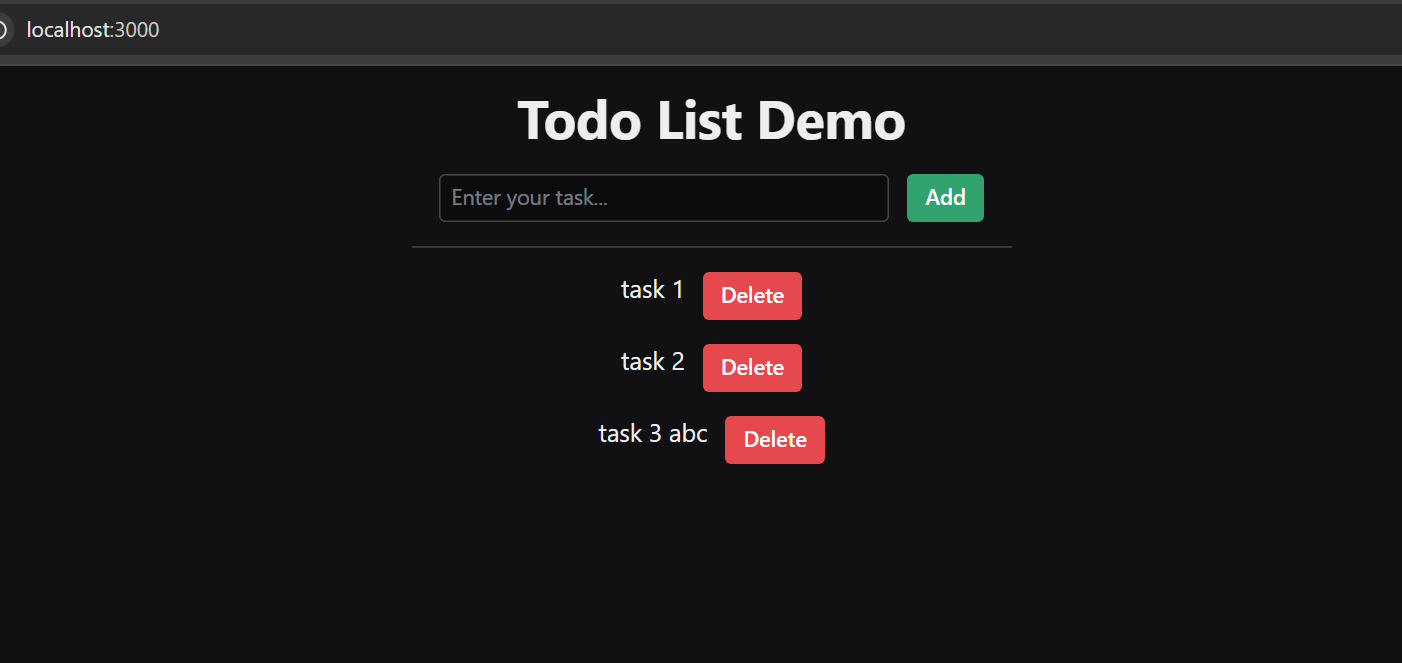
Now, you define a list of tasks in Python, create an input field and a button, and Reflex takes care of updating everything in the browser when you add a new task. No JavaScript needed for dynamic updates!
What about handling more complex data, like a student list that needs to be loaded from a database? This is where Reflex's state management really shines.
No need to fuss with HTML table structure or CSS styling; you get a clean, professional-looking table right out of the box!
And here's an example of a Student List:
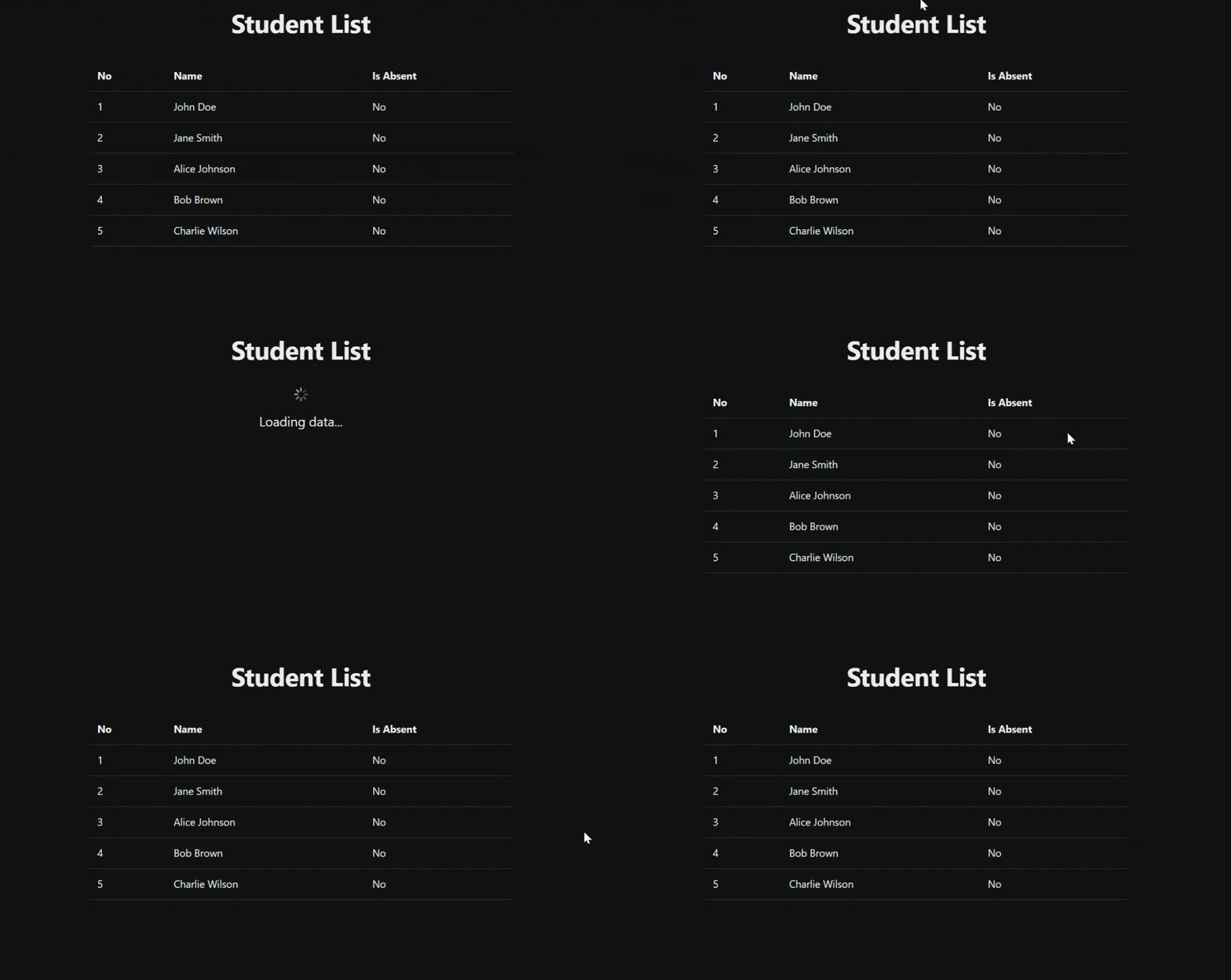
When your Python code starts the data-fetching process (which usually takes a moment), you simply flip a boolean state variable, say State.loading=True. Reflex automatically detects this change and lets you instantly swap the main content for a clean loading screen.
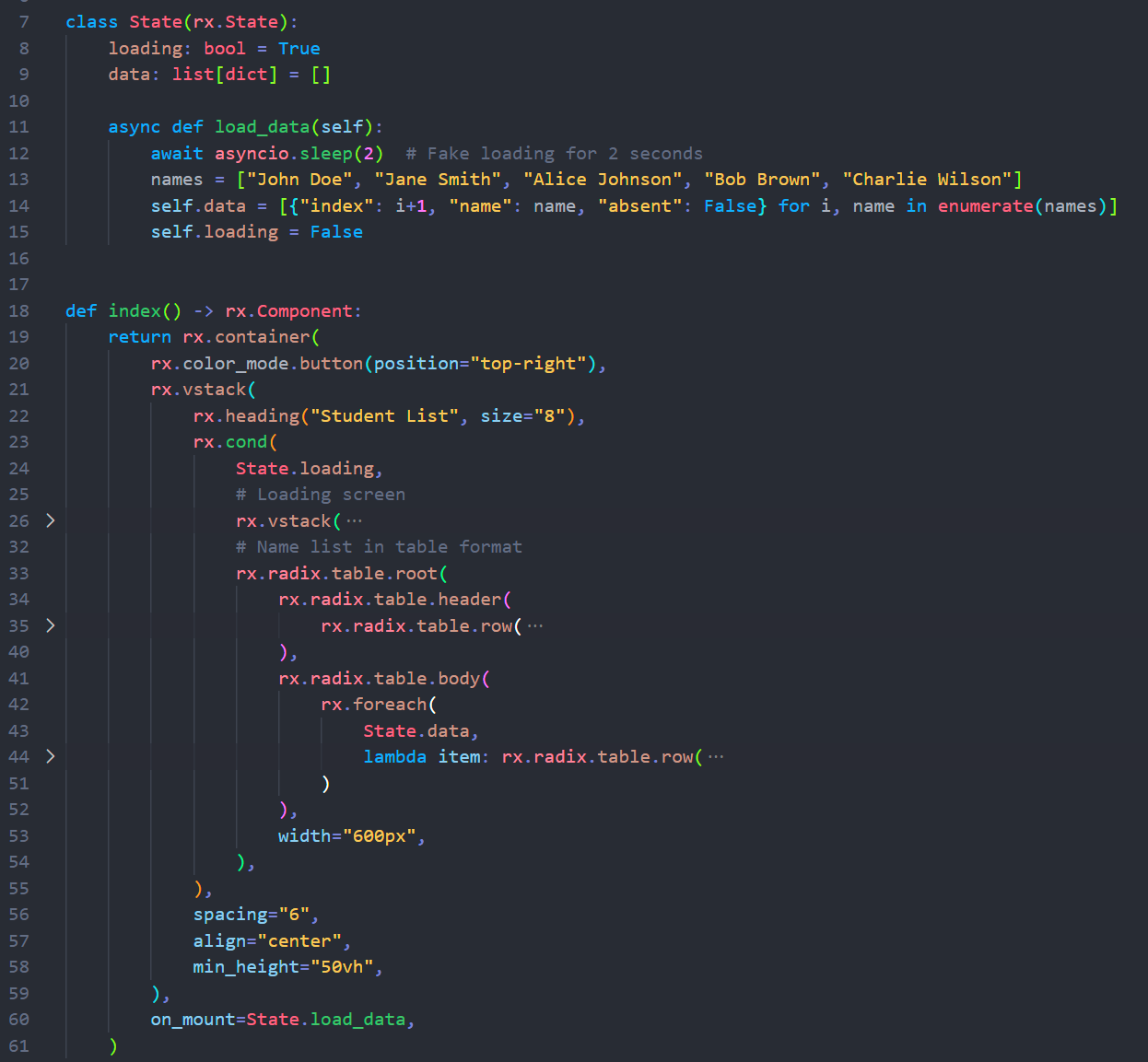
After you write the Python code for these demos, you just run reflex run, and your browser magic begins at http://localhost:3000!
Final Thoughts
Reflex can handle the complexity of the front-end, from state management to UI updates, so you can focus on the business logic in the language you love.
It's fast, fun, and makes the development process feel incredibly streamlined. Go give it a try! You might just find your new favorite way to build web apps.
Happy coding!